

Introduction
Nobody tells you about the 3 AM Slack ping until you’ve already accepted the offer.
You spot a “remote” role, apply, interview, and only then discover the team expects you online for a stand-up that lands in your dead of night. So which remote job boards actually help with time-zone matching? Himalayas, FlexJobs, Working Nomads and Remotive come closest, because they show location rules before you click. Even so, I’ll be blunt: boards are overrated for this job.
A “remote” tag tells you almost nothing about when a team wants you at your desk. The real signal sits in the listing text, in phrases like “four hours of overlap with CET” or “async-first”. Spell it out or lose my application.
So treat the ten boards below as radar, not gospel. Each gets the same three scores: listing quality, cost and reach. Use a time-zone converter before you apply, every time.
TL;DR: Remote Job Boards for Time-Zone Matching at a Glance
Best overall for clear time-zone matching: Himalayas, thanks to its structured location and time-zone information.
Best for vetted remote listings: FlexJobs, although job seekers need a paid subscription.
Best free options: Working Nomads, Remotive and Jobspresso provide useful regional and working-hours details without charging candidates to browse.
Best for startup roles: Wellfound offers strong early-stage opportunities, but time-zone requirements may be hidden in the job description.
Most important check: A “remote” label does not always mean “work from anywhere.” Confirm eligible countries, required overlap hours and whether the company works asynchronously before applying.
Best application tactic: State your location, UTC offset and available overlap window near the top of your CV or application.
1. We Work Remotely
The granddaddy of remote boards, and it reads like a no-nonsense classifieds section. Listings are sorted loosely by region (Americas, Europe, Worldwide). Because employers pay a steep fee per posting, they tend to state geographic limits in the first two sentences.
No slider for GMT offsets, though. You will occasionally fall for a role that quietly needs you parked in Pacific time. Read slowly.
Listing quality: Strong, with explicit region lines in most job descriptions
Cost: Free for job seekers, expensive for employers
Reach: Broad, global, with a heavy US skew
2. Remote OK
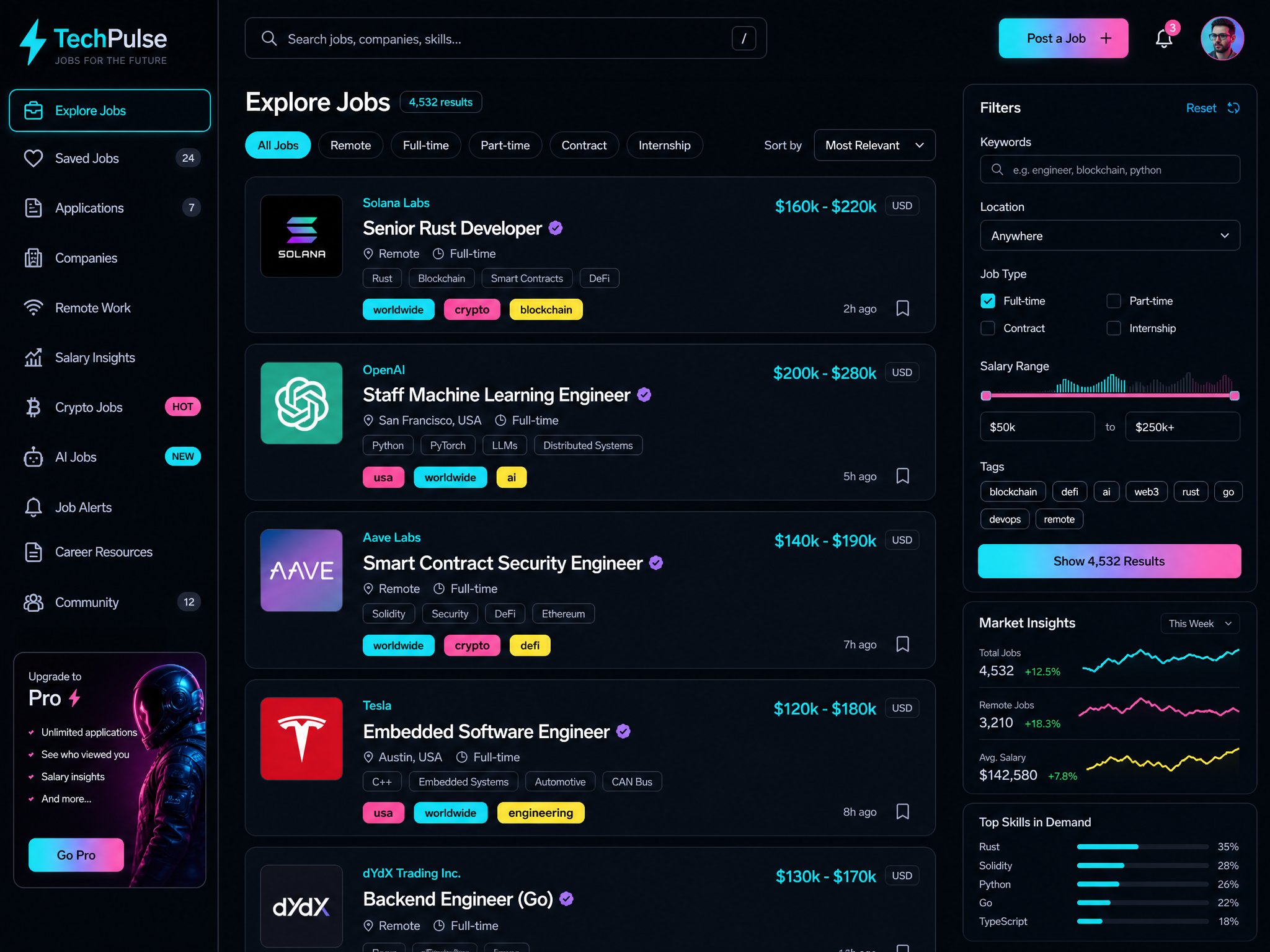
A neon, data-dense dashboard built by Pieter Levels, heavy on tech, crypto and startup roles. The tag system is the draw: worldwide, usa, specific continents, all visible on the preview card.
Fast, yes. Chaotic too. It suits digital nomads who shrug at a four-hour clock shift, and it suits anyone needing tidy compliance matching rather less.
Listing quality: Mixed, since tags are quick but descriptions vary wildly
Cost: Free to browse
Reach: Global, tilted towards developers and software startups
3. FlexJobs

The curated, human-vetted, paywalled corner of the remote world. Every job is hand-screened, and the filters drill down by country, state and regional remote parameters, down to city level for hybrid arrangements.
Worth paying if you’re sick of ghost jobs. Live in a country with awkward tax or payroll rules and it will save you wasted applications faster than any free board. I still wouldn’t pay for it because of time zones, though. Pay for the vetting.
Listing quality: High, hand-checked and mostly scam-free
Cost: Paid subscription for seekers
Reach: Wide, with a US-leaning, corporate flavour
4. Working Nomads
Built for the laptop-in-a-café crowd. A location layer tells you whether a post accepts worldwide applicants or restricts to bands such as CET plus or minus two hours.
Punchy and clean. It hits a sweet spot for mid-level product, marketing and technology roles where “anywhere in Europe” or “US/Americas overlap” is standard wording.
Listing quality: Good, with clear regional bands
Cost: Free to search, optional paid extras
Reach: International, with solid European coverage
5. Remote.co
Organised, corporate-leaning and closely affiliated with FlexJobs. Jobs sit in conventional departments (writing, customer service, HR), with sub-filters for global versus country-locked roles.
It feels like a digital filing cabinet. The clarity is there, the interface is static, and it’s better for traditional corporate remote work than wild-west startups.
Listing quality: Reliable and tidy, if a little dated
Cost: Mostly free to browse
Reach: Moderate, aimed at established companies
6. Jobspresso
Ultra-curated tech and support listings with a strict zero-spam policy. Each posting lays out geographic and citizenship requirements up front, often with notes like “US/Canada time zones only” or “CET preferred.”
That honesty is rare. You won’t waste an evening on a role that needs a physical address in a zone you don’t inhabit. Quality over quantity, and the quantity is small.
Listing quality: Very high, since location rules are stated early
Cost: Free for job seekers
Reach: Narrow but trustworthy
7. Remotive

Community-driven and tech-forward, with an active Slack community running beside the board. You can filter worldwide versus region-locked, and descriptions often detail whether the team leans synchronous or async.
The real bonus is chatter. Cross-check a company’s hiring policy against what people say in the community and you get a backdoor view of how strict their overlap rules really are.
Listing quality: Good, with useful workflow detail
Cost: Free listings, paid extras for members
Reach: Global, strongest for developers and product people
8. Himalayas
Modern, quick and rich in company profiles. It’s one of the better search engines for location: pick a country and you see a clear breakdown of timezone restrictions before opening the posting.
A hidden gem for user experience. You don’t hunt for where the team may sit, and that alone removes most of the ambiguity.
Listing quality: High, with structured metadata
Cost: Free for candidates
Reach: Wide, with many European and UK companies
9. JustRemote
A minimalist aggregator that pulls listings you won’t always spot on LinkedIn or Indeed. There’s a toggle for hidden jobs and regional tags, but the filtering is basic next to Himalayas or FlexJobs.
Use it as a second sweep. It unearths niche roles, then you do the homework on the employer’s real communication expectations across borders.
Listing quality: Uneven, because it aggregates
Cost: Free to use
Reach: Decent, with a niche board feel
10. Wellfound

The startup ecosystem’s native habitat: equity, chaos, hyper-growth. You can filter for remote and target specific countries, yet founders love writing “remote (US time zones preferred)” in the fine print.
Unmatched for early-stage teams, and a minefield for zones. Plenty of seed-stage founders say worldwide until you mention you sit nine hours off their sync schedule. Treat every listing as a negotiation.
Listing quality: Variable, since fine print decides everything
Cost: Free for candidates
Reach: Global, startup-heavy
Conclusion
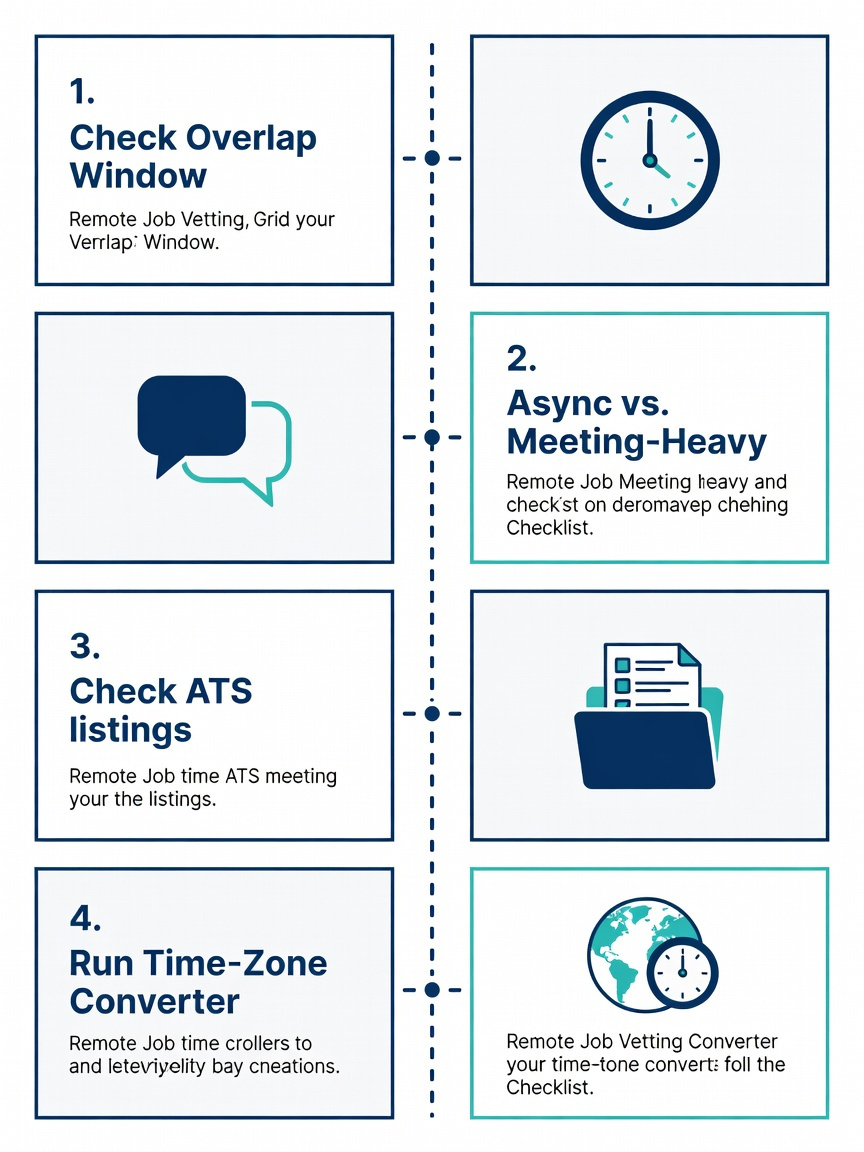
So how do you read a listing without getting burned? Whatever the board, run the same checks:
Hunt for an explicit overlap window, in hours and a named zone such as EST or CET.
Check whether the work is async-first or meeting-heavy.
Look at the employer’s applicant tracking page on Greenhouse, Ashby or Workday, where location wording is often blunter than on the board.
Run the stated hours through a converter before you spend an evening on a cover letter.
No overlap stated? That’s your red flag, not a missing filter.
Board | Time-zone clarity | Cost to seekers |
|---|---|---|
Himalayas | High | Free |
FlexJobs | High | Paid |
Jobspresso | High | Free |
Working Nomads | Good | Free |
Remotive | Good | Free |
Wellfound | Variable | Free |
Once you’re eligible, say so loudly. Put your zone and overlap hours in your headline and the first line of your application, something like “Based in Lisbon, fully available 09:00 to 17:00 CET, four hours of overlap with US Eastern.” Recruiters skim, and a candidate who answers the scheduling question before it’s asked jumps the queue.
FAQ
Which remote job board is best for time-zone matching?
Himalayas has the clearest structured location data, and FlexJobs offers the most reliable vetting. Working Nomads and Remotive sit just behind. None replaces reading the posting.
Is it worth paying for a board that promises time-zone filtering?
Rarely. Pay for vetting if ghost jobs annoy you, but not for a filter. If a listing won’t say when people work together, no paid tool fixes that.
How do I know if I’m eligible for a remote role?
Look for named zones, hour ranges and phrases like “overlap” or “async”. Compare them to your local workday with a converter. Anything vague deserves a question to the recruiter before you apply.
How should I show time-zone alignment in an application?
Lead with it. State your location, your available hours and the overlap with the team’s core window, then mention any experience working across regions. It reads as reliability, which employers hiring internationally prize.
